Mastering
Mastering is the processing of preparing your song, album or other audio project for final delivery. Digital Performer provides all the tools you need to bring your project to completion.
64-Bit mastering tools for crystal-clear sound
The master fader is just the beginning. Digital Performer ships with mastering tools including MasterWorks™ Limiter, Multi-Band Compressor, Leveler and Parametric EQ. Bring out the ultimate detail from full-bandwidth program material. With 64-bit, floating-point precision, these tools preserve and enhance the natural sound and fidelity of your 24-bit audio with no added noise.
MasterWorks Limiter gives you precise control of dynamics and output level of digital audio signals, plus pro-quality bit quantization, dithering, and noise shaping. The MasterWorks Multi-Band Compressor provides control over dynamics of specific frequency ranges. The MasterWorks EQ offers phase-coherent, surgical frequency control down to one hundredth of an octave. The MasterWorks Leveler provides automatic gain control modeled after the legendary LA-2A optical compressor. It's like having an actual LA-2A in your rack.
Bounce / Export to MP3 and other formats
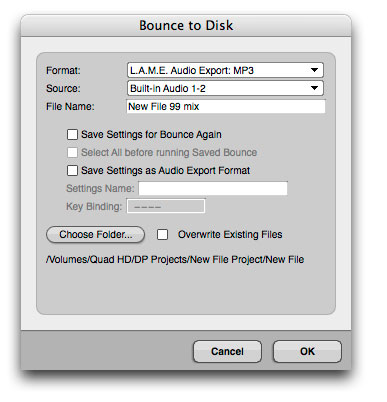
Digital Performer's Bounce to Disk and Export Audio features output directly to a variety of interleaved stereo file formats provided by Mac OS X. you can even bounce and export directly to MP3's -- a huge time saver. A wide variety of MP3 export options are provided, including constant bit rate and variable bit rate encoding.
Saving Bounce Settings
DP allows you to save your bounce-to-disk settings by name so that you can quickly “re-bounce” any material after making further changes to the source tracks. You can re-bounce by either pressing a user-assignable keystroke or choosing the bounce operation by name from the Bounce Settings sub-menu.
Multi Bounce
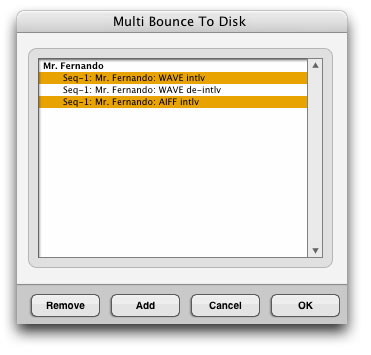 The Multi Bounce command lets you run multiple saved bounce settings in one operation. You can even run bounce settings from multiple DP projects. For example, you might have 7 or 8 different multi-track DP projects from which you are bouncing stereo mixes for an album. After making minor tweaks and adjustments during the final stages of mixing, you could conveniently re-bounce all 7 or 8 tracks in one operation. At the end of the multi bounce session, a summary window provides detailed information regarding each bounce.
Direct audio CD burning
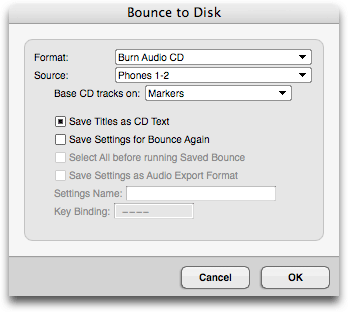
Simply drop your songs into a track, add markers for index points anywhere you want (even in the middle of a song). You can use DP's powerful fade and automation tools and apply mastering plug-in processing as desired. Then, choose "Bounce to Disk" with a format of "Burn Audio CD". DP creates a standard audio CD for use in any CD player. DP can also create a disk image for easy replication and archiving.